Give every new teammate a better starting point
A new colleague should not have to reconstruct their role from old messages or wait for one busy person to answer every recurring question. Put the knowledge they need into a governed base that stays available as your team updates it.
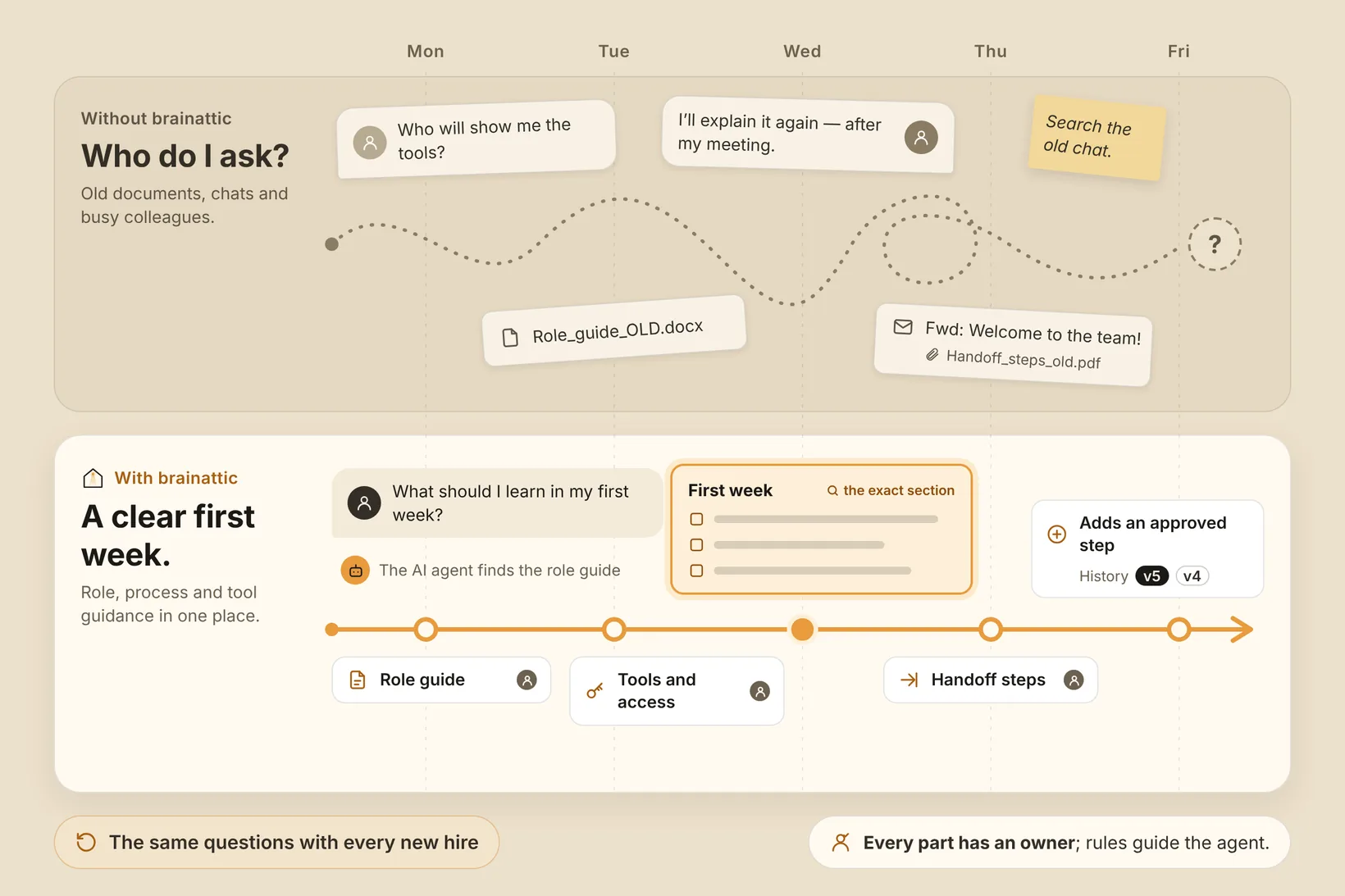
Make the first weeks easier to navigate
Onboarding often combines role expectations, internal processes, tool guidance, and the unwritten context people learn by asking around. When each item lives in a different folder or an outdated welcome document, a new hire cannot tell what is current. Colleagues repeat the same explanations, and small updates may not reach the next person who needs them.
With brainattic, a team can organize this material as canonical documents in a governed knowledge base. A new teammate can ask a question in natural language and review the relevant passage. An AI agent connected through MCP can help find and draft updates to onboarding material under your curated rules. People decide whether the draft is accurate and ready to become part of the team’s guidance.
Help a new teammate find the first steps
A new colleague can ask about their role, process, or handoff and get an answer grounded in the material the team maintains. For example:
- “What should a new support analyst learn in their first week? Find the role guide and current handoff steps.”
- “File this first-week checklist in the onboarding project, using the steps our team has already approved.”
A colleague can check the guidance and keep the source current for the next hire. Review saved changes and restore an earlier version when needed.
Separate guidance from access control
Your team decides who can read or change onboarding material and gives agents guidance for keeping it useful.
Build the collection from role guides, process notes, and tool instructions your team has approved for shared use, and keep an owner responsible for updates.
Connect an AI client
Learn how AI clients connect, read the MCP connection overview and authentication guide, or use the public connection guide for the setup steps in your chosen client.
Talk with us about the onboarding knowledge your team wants to keep current.